Keyboard Layouts
Tried it once before
In college, I switched to Dvorak for a month or so. Two things I was surprised at:
-
how fast I was able to pick it up. within hours, I knew all the keys and could type without a cheat sheet
-
how quickly I became ‘fluent’ - within days I was typing what felt like similar speed as QWERTY
My Journey With Colemak-dh
Watch my journey learning this new layout here: Colemak-dh Journey
Keyboard Layout Overview
If you are curious about the different keyboard layouts, some generic content below.
QWERTY
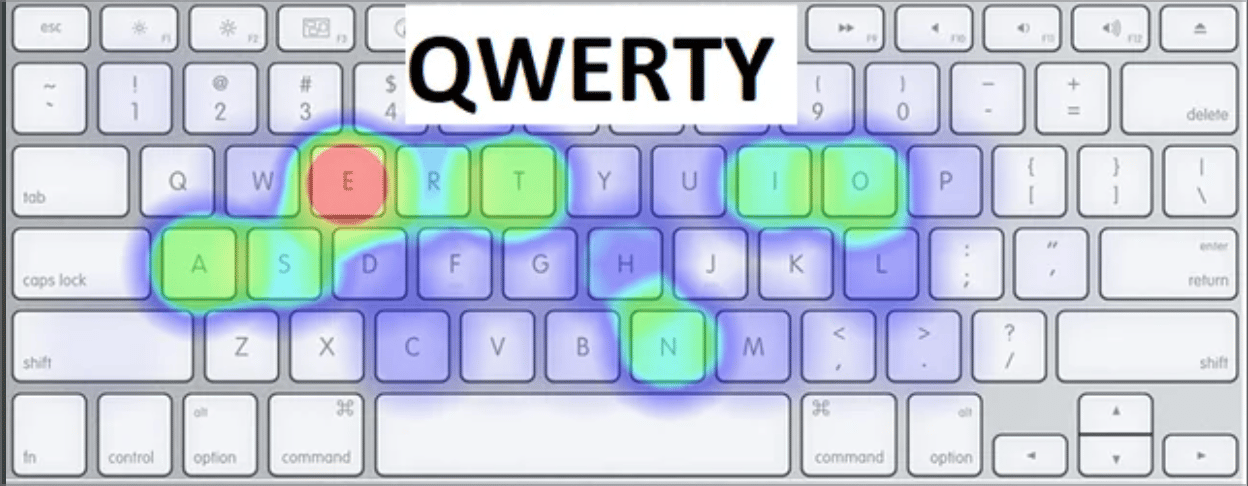
The QWERTY keyboard layout was invented by Christopher Latham Sholes in 1873 for the first commercially successful typewriter. There are several theories about the origin of where the layout came from.
Two of the most popular origin theories are:
- designed to prevent mechanical typewriter keys from jamming by separating commonly used letters
- designed to help Morse Code translators more quickly translate common letter combinations
Regardless of the origin, these situations no longer exists with modern computers/keyboards. Despite this, QWERTY has become and remains the standard layout - and has persisted now for over 150 years.
Strengths:
- Universal adoption - available on virtually every keyboard and device
- Familiar to employers, colleagues, and shared computer environments
- Extensive software support and compatibility
Weaknesses:
- Inefficient finger movement patterns with high same-finger usage
- Poor hand alternation leading to increased strain
- Common letters placed in awkward positions (ex. reaching for a ‘T’)
Dvorak
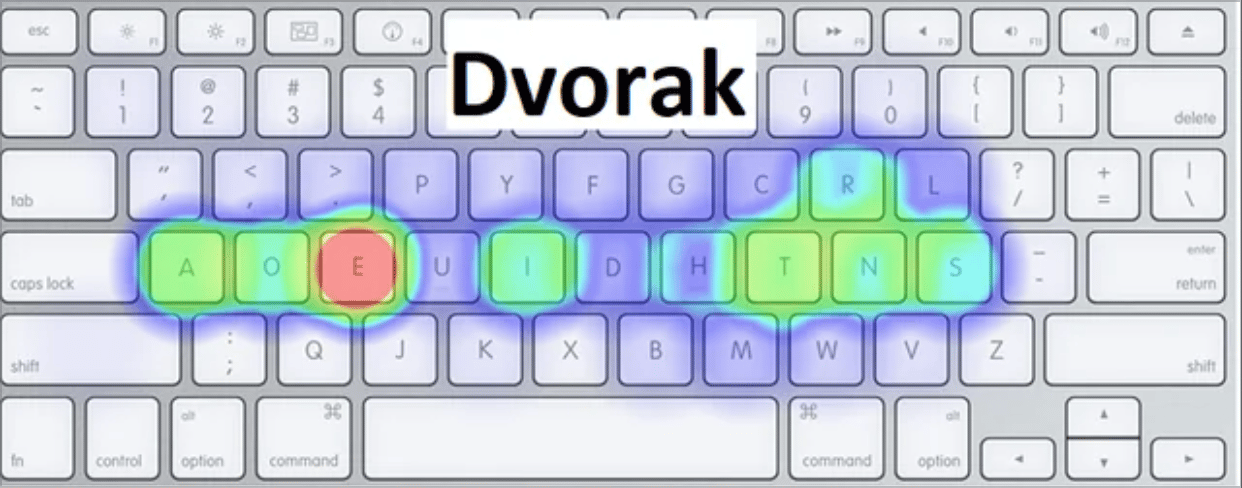
The Dvorak Simplified Keyboard was developed by Dr. August Dvorak and William Dealey in the 1930s as a scientific approach to keyboard design. Unlike QWERTY’s mechanical constraints, Dvorak was designed based on letter frequency analysis and ergonomic principles to maximize typing efficiency. The layout places the most common letters on the home row and emphasizes hand alternation, with vowels on the left hand and common consonants on the right. Despite claims of superior efficiency, Dvorak never gained widespread adoption due to the entrenched nature of QWERTY.
Strengths:
- Significantly better hand alternation than QWERTY
- Most common letters positioned on the home row for less finger movement
- Reduced finger strain and potentially higher typing speeds
Weaknesses (in today’s world):
- Learning curve, if proficient on QWERTY
- Limited availability on physical keyboards and mobile devices
- Poor performance for programming due to awkward symbol placement
Colemak-dh
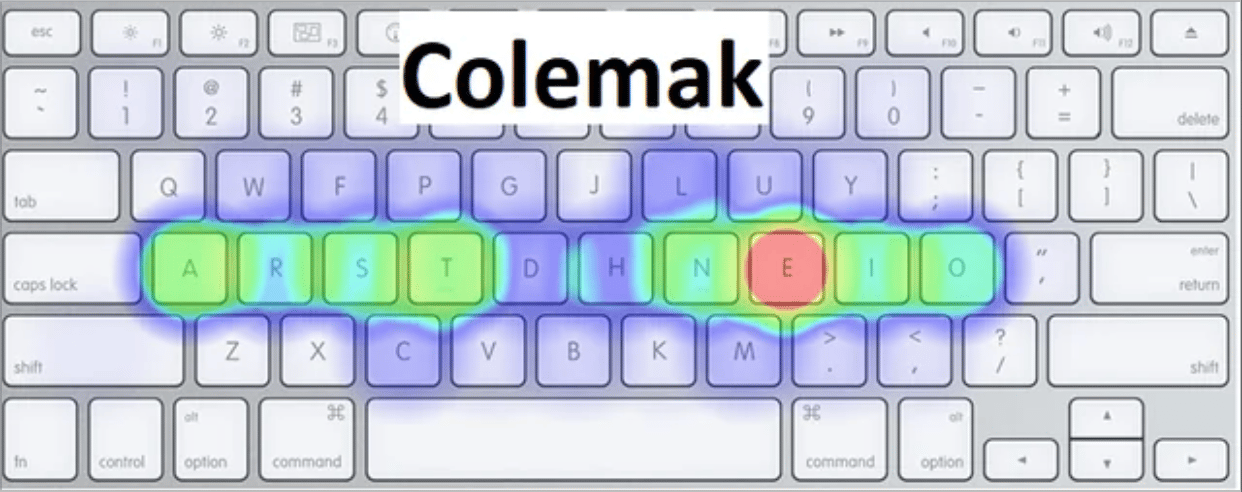
Colemak was created by Shai Coleman in 2006 as a modern alternative that balances efficiency with practicality.
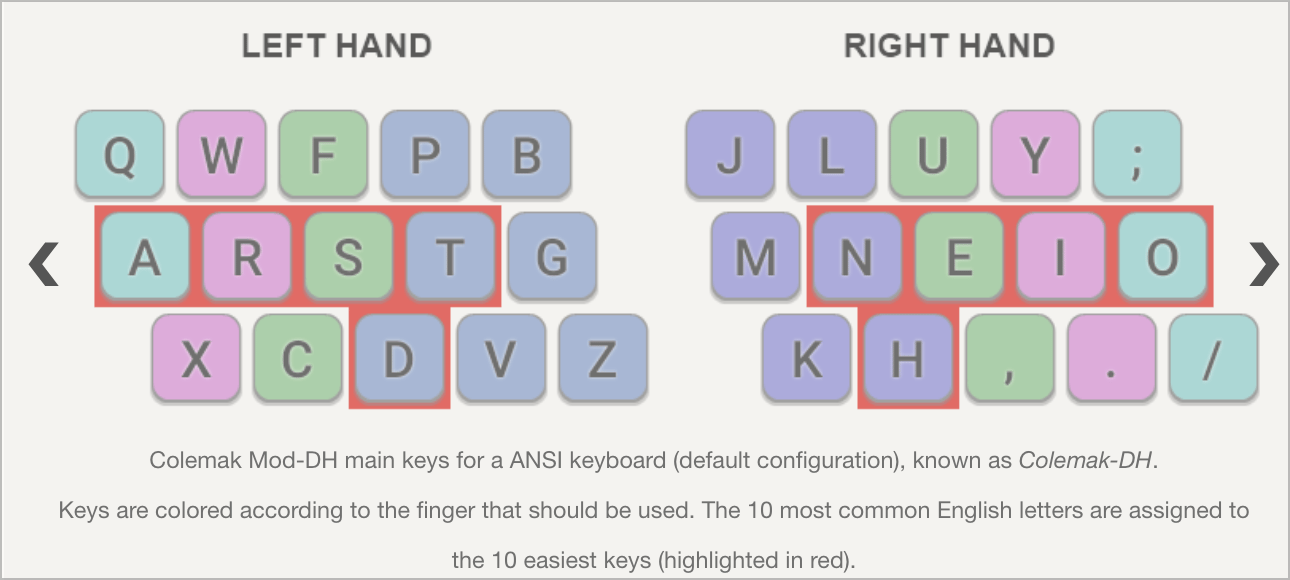
The Colemak-dh variant - what I am currently using - was developed by SteveP and addresses the original Colemak’s weakness with the ‘D’ and ‘H’ key positions by moving them to more comfortable locations. This layout keeps many QWERTY shortcuts intact (like Cmd+Z, Cmd+X, Cmd+C, Cmd+V) while optimizing letter placement for better finger rolls and reduced same-finger use. Colemak-dh represents the latest evolution in keyboard layout design, incorporating lessons learned from both QWERTY’s adoption challenges and Dvorak’s ergonomic insights.
Strengths:
- Balance of efficiency and learn-ability (assuming one is coming from another layout)
- Preserves common QWERTY shortcuts, easing transition
- Superior finger rolls and comfortable hand alternation
Weaknesses:
- Still requires significant relearning time
- Limited physical keyboard availability compared to QWERTY
- May require custom key mappings on some systems and devices
Prefer content in your inbox?
I occasionally send out an email with site updates and other tech stuff. Zero Spam.
You'll get two emails initially: a confirmation link to verify, and a welcome message.
This site is protected by reCAPTCHA and the Google Privacy Policy and Terms of Service apply.